Web accessibility
Logo alt text: what to write for a website logo
Choose the right alt text for a homepage link, a standalone logo or a mark next to visible text. Includes HTML examples for developer handoff.
The short answer
If the logo is the only content of a homepage link, name the brand and destination: “Rivulet home.” A standalone logo that identifies a brand can use “Rivulet.” If readable text inside the same link already names the destination, use an empty alt attribute on the image.
Start with what the logo does
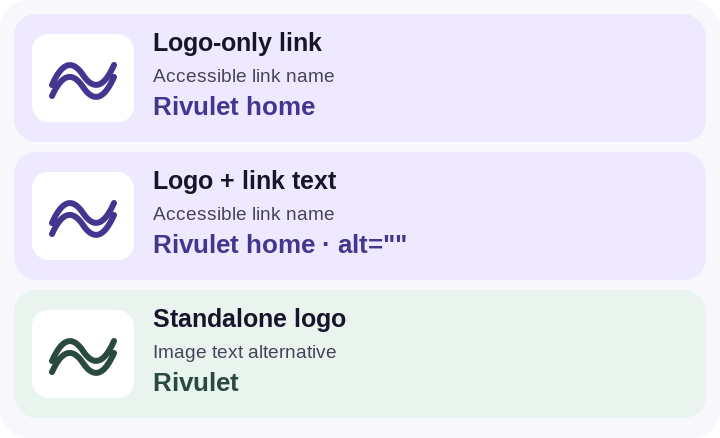
A mark in the header may take someone home; the same artwork in a partner list may identify a sponsor. Don’t store one universal description in the asset and assume it works everywhere. Start by writing down what a person needs to know or do at each placement. The illustration uses Rivulet, an invented brand.
Name a link by where it goes
For an image that is the only content of the home link, use the actual brand name and a short destination, such as “Rivulet home.” If the mark says Rivulet, keep that word in the accessible name. If a partner logo links to a sponsor page instead, name that specific destination. Don’t add “click here,” file formats, colors or keywords that don’t help someone choose the link.
Further reading: W3C WAI · Functional Images · W3C WAI · Label in Name
Skip the image when the same link already has a label
If you put the image and the words “Rivulet home” inside one link, use alt="" on the image so its name isn’t repeated. Text somewhere nearby is not necessarily part of that link. And if the logo isn’t clickable and is the only way the page identifies Rivulet, use alt="Rivulet". If the same name already appears as readable text and the mark adds nothing, an empty alt is appropriate.
Further reading: W3C WAI · Alt Decision Tree
Give the developer a placement note
For each header, footer and partner placement, supply the exact label, destination and whether the mark is redundant. If the developer uses an inline SVG instead of an img, ask them to provide the link name through visible text or aria-label and hide the redundant SVG from assistive technology. Keep brand copy in the requested languages, not baked into the artwork.
<a href="/">
  <img src="/logo.svg" alt="Rivulet home">
</a>

<a href="/">
  <img src="/mark.svg" alt="">
  Rivulet home
</a>

<img src="/logo.svg" alt="Rivulet">
Check the result in the browser
Tab to the logo. There should be one focus stop, a visible focus indicator and the intended destination when you activate it. Inspect the link’s computed name in the browser accessibility panel, then listen with a screen reader if available. Check desktop and mobile header variants, including the local homepage URL. There should be no nameless link or doubled brand name.
Further reading: W3C WAI · Easy Checks
PUT IT INTO PRACTICE
Ready to prepare your pack?
logopack.app turns existing SVG artwork into an organized logo package. Preview your files, choose the available export options and check the result before handing it over. Exporting your own logo or icon files requires Pro.
Start with the logo pack generator, explore the sample ZIP, or compare the current plans.
Open generator